Exam Countdown app icon

All your exams. One clear view.

Keep every deadline in one place, colour-coded and counting down, so you always know what’s next and how long you have to prepare.

Download on the App StoreGet it on Google Play

Free to download. No sign-up needed to start.

2.7M+
downloads
4.7★
from 29k+ ratings
12 yrs
helping students
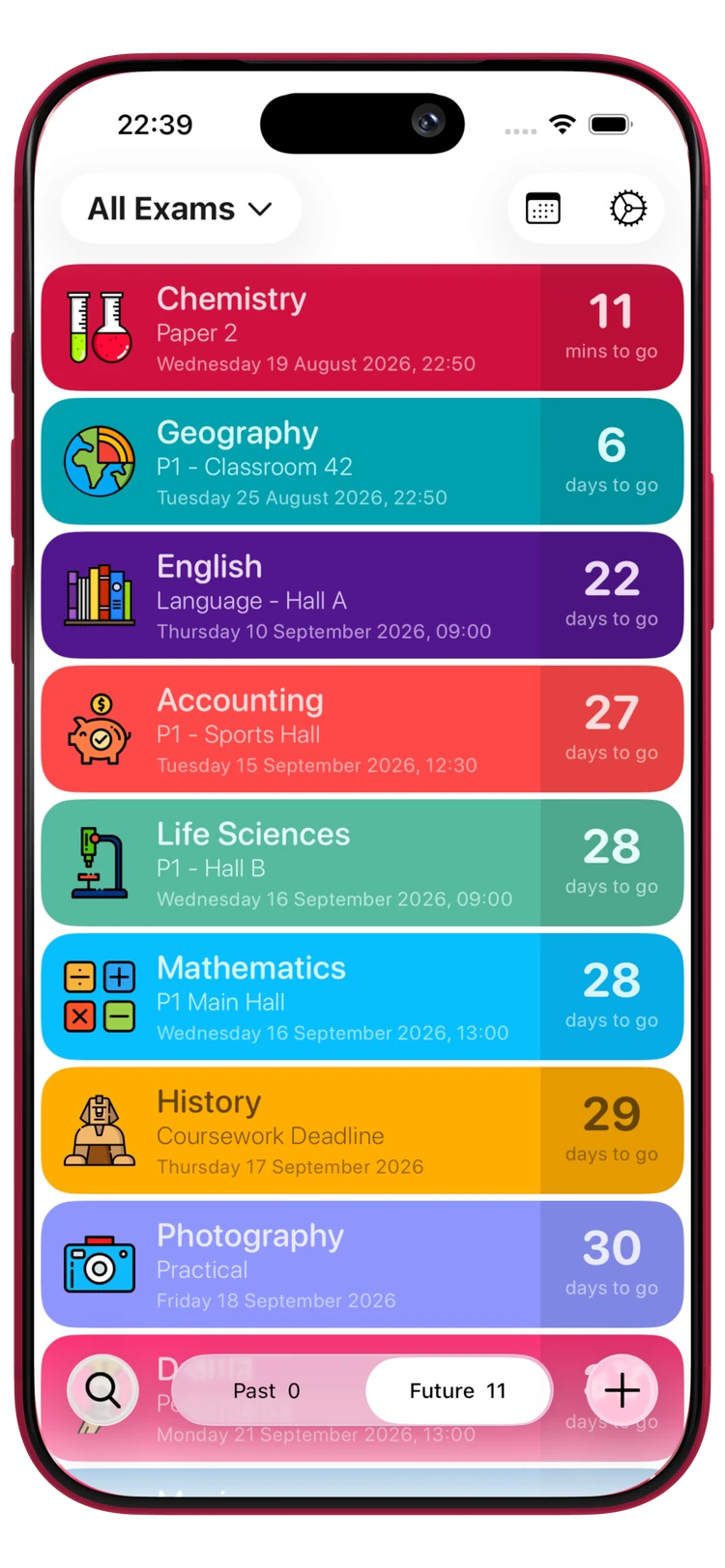
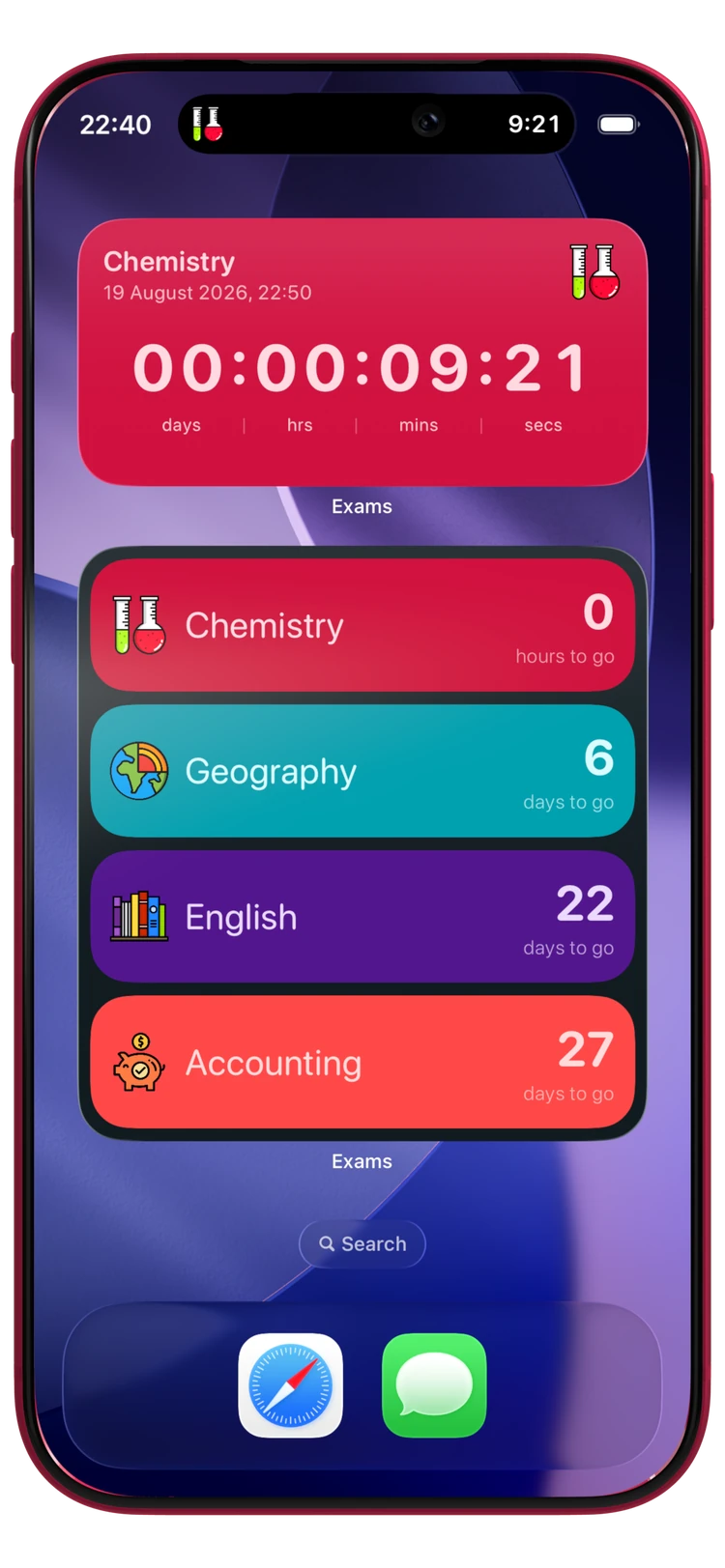
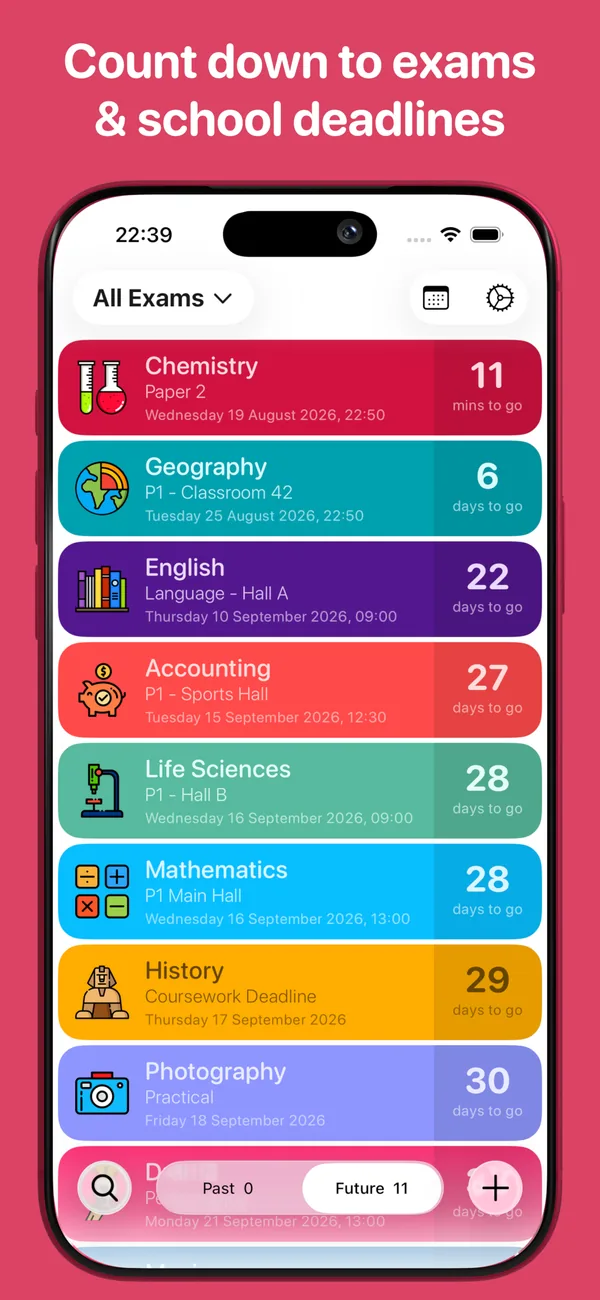
Exam Countdown showing a colour-coded exam timetable with Chemistry, Geography, English, Accounting and Mathematics papers counting downExam Countdown widgets on an iPhone Home Screen, with a live countdown ticking down to the second and the next four exams listed beneath

Built for every deadline

Know what is next, without thinking about it.

Exam Countdown does one job properly: it holds your timetable of exams, tests, coursework hand-ins and school, college and uni deadlines, and keeps the next date in front of you. No revision guilt, no study streaks to keep up, just the dates, counting down.

Your whole timetable, one screen

Every paper, prelim, mock, test, coursework hand-in and results day in one list, sorted by what is closest. School, college or university. Unlimited exams, free, with no account needed to start.

Widgets that keep the date in front of you

The free Next Exam widget puts your closest paper on the Home Screen. Premium adds a live countdown that ticks every second, a four-exam summary, per-subject widgets and Lock Screen and StandBy sizes.

Your term at a glance

Calendar View lays the whole term out on a month grid, colour-coded by subject, so you can see where the crunch weeks are (a matric finals run, a fortnight of A Level papers, three assignments due the same week) before you plan revision around them.

Reminders that do the remembering

Alerts before every exam so nothing creeps up on you. Premium adds detailed alerts, so you can be told a week out, the night before and an hour before the paper.

Colour-code every subject

Give each subject its own colour and pick from over 400 icons, from beakers to calculators to a Roman helmet. Your timetable should be readable at a glance, not a wall of grey text.

Record how it went

Log your mark against each paper once it is done, so the whole season is in one place when results day arrives. Create a free account and the whole lot is backed up, ready to restore on your next phone.

Up and running in seconds

Your first countdown is a few taps away.

  1. 1

    Add your first exam

    Subject, paper and the date and time it starts, or a coursework deadline. Add the rest of the season in a few minutes.

  2. 2

    Colour-code it

    Pick a colour and an icon for each subject so your timetable reads at a glance.

  3. 3

    Watch it count down

    See every paper in your list, full screen down to the second, or as a widget on your Home and Lock Screen.

Wherever you are studying

It fits your exam system, because you name it.

There is no country version to pick and no curriculum to set up. You type in what you are actually sitting, so the app works the same whether that is an NSC final, a Higher, or a dissertation deadline.

South Africa

Grade 10, 11 and 12, on the DBE or IEB timetable. New accounts in South Africa start with Prelims, Trials, June Exams, Finals, Orals and Tests already set up.

  • June exams
  • Prelims
  • Trials
  • NSC matric finals
  • Orals
  • Matric results

United Kingdom & Ireland

Every board: AQA, Edexcel, OCR, WJEC, CCEA and SQA. Plus mocks, and the resit and results days on either side of them.

  • GCSEs
  • AS & A Levels
  • Mocks
  • BTECs
  • National 5s
  • Highers
  • Leaving Cert

College & university

The deadlines that are not sat in a hall: coursework, assignments, dissertations, and the semester tests and supps around them.

  • Semester tests
  • Finals
  • Supplementary exams
  • Coursework
  • Dissertations

Inside the app

Built to be read at a glance.

The Exam Countdown list showing Chemistry, Geography, English, Accounting, Life Sciences, Mathematics, History and Photography as colour-coded rows, each with the days remaining

Your timetable

Every paper and deadline, closest first
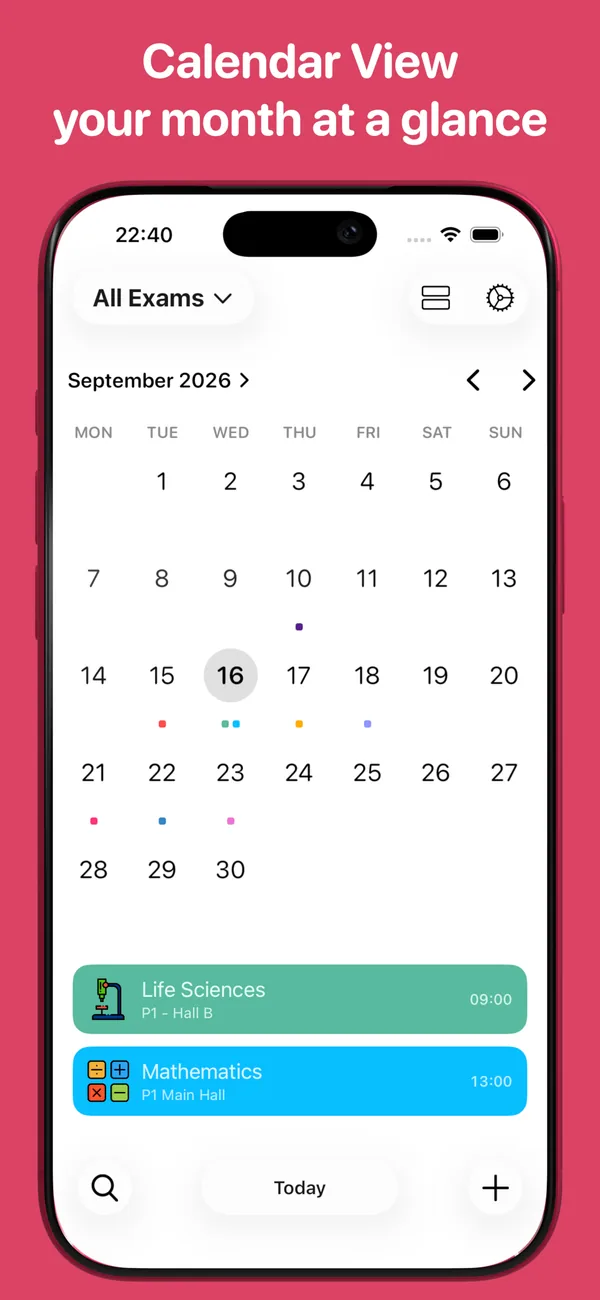
Calendar View showing a September month grid with colour-coded dots on exam days and that day's papers listed beneath

Calendar View

Your whole month at a glance
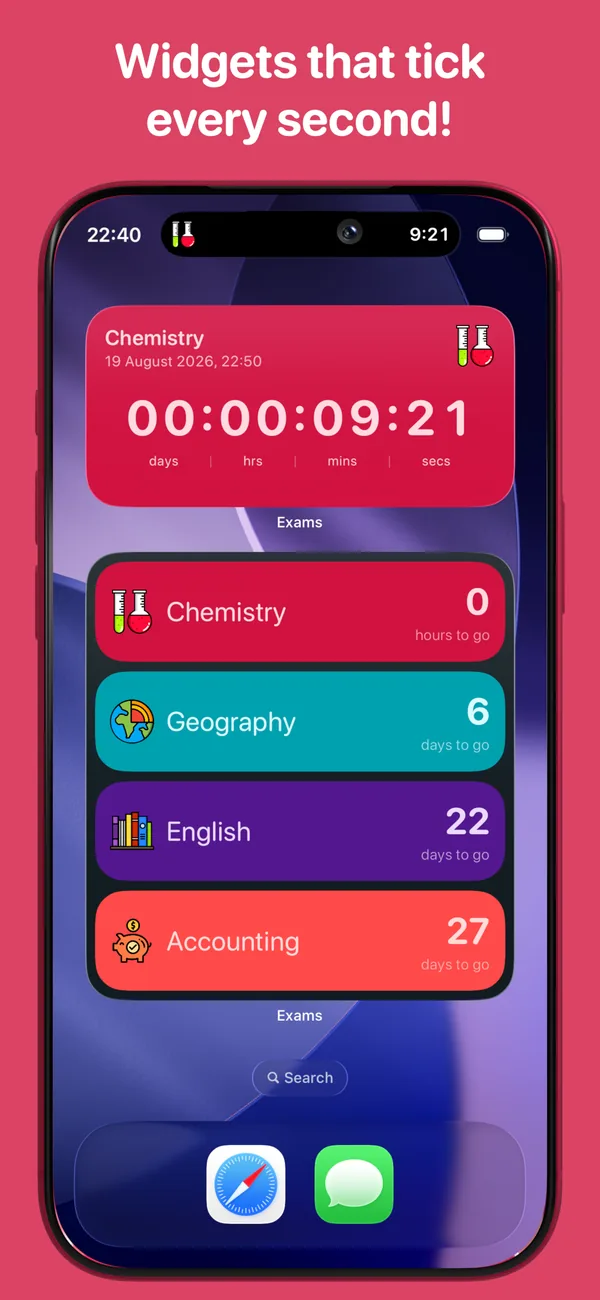
An iPhone Home Screen with a Chemistry live countdown widget reading 00:00:09:21 and a Next 4 Exams widget below it

Widgets

Countdowns that tick every second
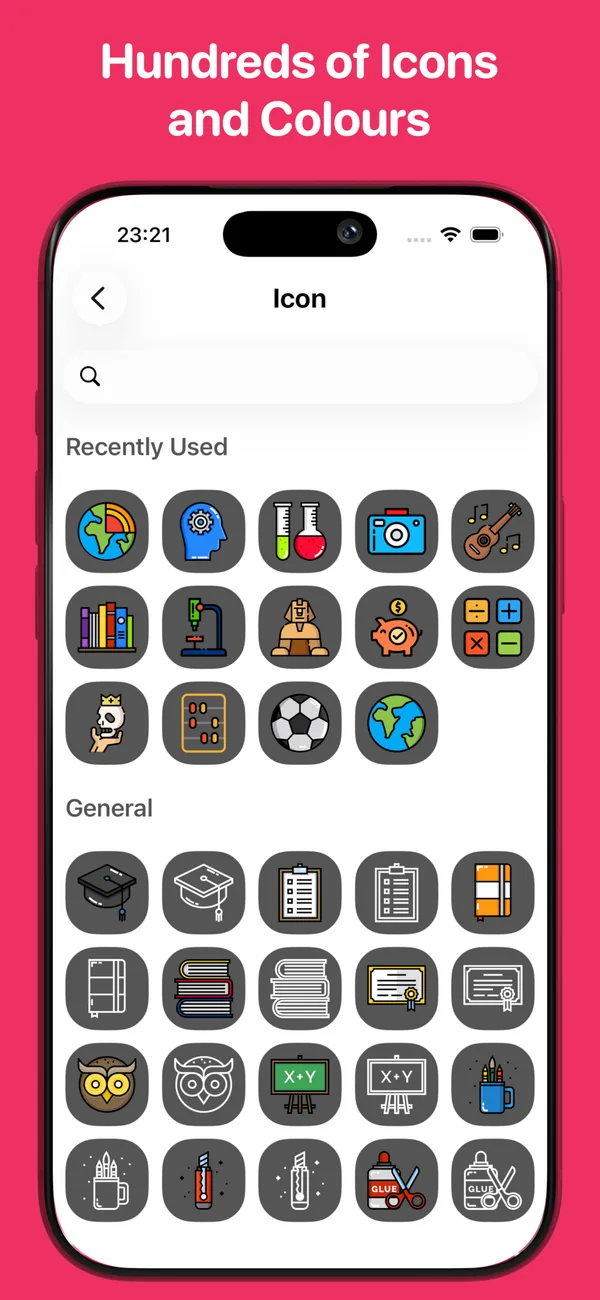
The icon picker showing hundreds of subject icons including beakers, a microscope, a calculator, books, a camera and a graduation cap

Icons and colours

400+ icons, a colour per subject

Widgets

Six ways to keep the next exam in sight.

The one you will use most is free. The rest come with Premium.

Next Exam

Free

Small & Medium

Your closest paper, always on the Home Screen.

Countdown

Premium

Small & Medium

Pick any exam and pin it. Choose the subject it shows.

Live Countdown

Premium

Medium

Days, hours, minutes and seconds, ticking in real time.

Next 4 Exams

Premium

Large

The week ahead in one tile, colour-coded by subject.

Category Countdown

Premium

Small & Medium

Count down to a whole group: Finals, Mocks, Orals.

Lock Screen & StandBy

Premium

Accessory

Your next exam without unlocking your phone.

Free vs Premium

Start free. Upgrade when you want more.

Everything you need to track a full exam season is free, with no account and no time limit. Premium adds more of everything, and starts with a free trial.

Feature

Free

Premium

Unlimited exams and countdowns

Included

Included

Live countdowns to the second

Included

Included

Colour-code every subject

Included

Included

400+ subject icons

Included

Included

Exam notes

Included

Included

Reminders before each exam

Included

Included

Next Exam Home Screen widget

Included

Included

Share an exam with your class

Included

Included

Cloud backup and sync, with a free account

Included

Included

Calendar View

Not included

Included

The full widget collection

Not included

Included

Live Activities on the Lock Screen (iPhone)

Not included

Included

Detailed alerts before every paper

Not included

Included

Categories to group and filter exams

Not included

Included

Record your results

Not included

Included

Ad-free

Not included

Included

Premium is an in-app subscription with a free trial. Pricing varies by country and is shown in the app before you commit.

Loved by students

Millions of exams, counted down.

GCSE’s

Would really recommend for GCSE’s. Very easy to use and motivated me to work because it was easily enough laid out to see when things are. The colours and icons make it super easy to see what subject is what as well.

13Jessy16

App Store, UK

Love the personalisation

All your exam dates in one place. Personalise each subject by choosing a different colour and icon. Great way to get organised!

MissHelB

App Store, UK

Fantastic app

I really love this app, it’s so simple yet so effective in helping you keep things in track! It reminds me everyday on how many days left till an exam and it immediately makes me feel the need to study.

ziphozonke_mk07

App Store, South Africa

Go Premium

Unlock the full Exam Countdown.

Premium clears the ads and unlocks every feature, so your whole season is colour-coded and on every screen you own. It starts with a free trial.

  • Calendar View
  • Live Countdown widget, ticking every second
  • Next 4 Exams and Category widgets
  • Lock Screen and StandBy widgets
  • Live Activities on your Lock Screen (iPhone)
  • Detailed alerts before every paper
  • Categories to group and filter exams
  • Record your results
  • No ads, ever
  • Chemistry

    3 days

  • Geography

    18 days

  • Mathematics

    84 days

  • Results Day

    121 days

  • History

    23 days

  • English Lit

    42 days

What’s New

Redesigned top to bottom, with Calendar View and widgets that tick

Exam Countdown 5.6 is the big one: the app is redesigned from the exam list up, Calendar View shows the whole term on a month grid, and new widgets count down to the second on your Home and Lock Screen.

View latest update

Frequently asked

Everything you might want to know.

What is Exam Countdown?
Exam Countdown is a free exam timetable and countdown app for iPhone, iPad and Android. Add every paper, prelim, mock, test, coursework hand-in and results day, at school, college or university. Colour-code them by subject, and watch live counters tick down the days, hours, minutes and seconds until each one.
Is Exam Countdown free?
Yes. Exam Countdown is free on the App Store and Google Play, with unlimited exams and no time limit. Creating an account is free too, and backs your exams up. Premium is an optional upgrade that adds Calendar View, the full widget collection, detailed alerts, categories and results tracking, and removes ads.
Which exams does it work for?
Any of them. In South Africa it is used for Grade 10, 11 and 12 exams: June exams, prelims, trials and the NSC matric finals, on both the DBE and IEB timetables. In the UK it is used for GCSEs, AS and A Levels, BTECs, National 5s, Highers and Advanced Highers, and mocks. Elsewhere, the Leaving Certificate, SATs and APs. At college and university it is used for semester tests, supplementary exams, dissertation and assignment deadlines. You name each exam yourself, so it fits whatever you are sitting.
Can I put a countdown to my next exam on my Home Screen?
Yes, and it is free. The Next Exam widget shows your closest paper on the Home Screen in small or medium size. Premium adds a configurable Countdown widget for any exam you choose, a Live Countdown that ticks every second, a Next 4 Exams summary, per-category widgets, and Lock Screen and StandBy widgets.
Will it remind me before an exam?
Yes. Set an alert before any exam and Exam Countdown will notify you. Premium adds detailed alerts, so you can be reminded a week before, the night before and an hour before the same paper.
Do my exams sync if I change phone?
Yes, and creating an account is free. Sign up and your exams, subjects, colours and results are backed up, then restored on any device you sign in on. It is worth doing as soon as you start: without an account your exams live on the device itself, so a lost, reset or replaced phone takes them with it.
What does Premium cost?
Premium is an in-app subscription with a free trial so you can try everything first. Current pricing is shown in the app before you commit, and it varies by country.
Is Exam Countdown on Android?
Yes. Exam Countdown is free on Google Play, and the Android app has the same features, the same Premium upgrade and the same releases as the iPhone and iPad app. Everything described on this page works on both.
More questions, straight answers The best exam countdown app? How many days until your exams? Making a timetable, Home Screen widgets and free options, answered directly.

Start counting down

Add your next exam today.

Download on the App StoreGet it on Google Play